Tyck
Photograph the schedule, share one link, run every screen from one clock.
Tyck is a stage timer for conferences and events. A photo of the printed schedule becomes a run-sheet of timed segments, and the stage screen, opened from a link with no sign-in, follows the controller to the second.
- Status
- Live
- Category
- Live event tool
- Platform
- Web app
- Built with
- Claude Code
- Photo import
- Claude vision
- Realtime
- Own WebSocket server
The narrated tour, 50 seconds. Captions are available.
- full-state broadcast to every screen
- 1s
- stage warnings before time runs out
- 3
- sign-ins to open the stage screen
- 0
- connections per room
- 100
- minutes of overtime before the clock freezes
- 61
What it does
Five parts of a live run, each shown in the states it really has. Pick a state to see it.
Photo import
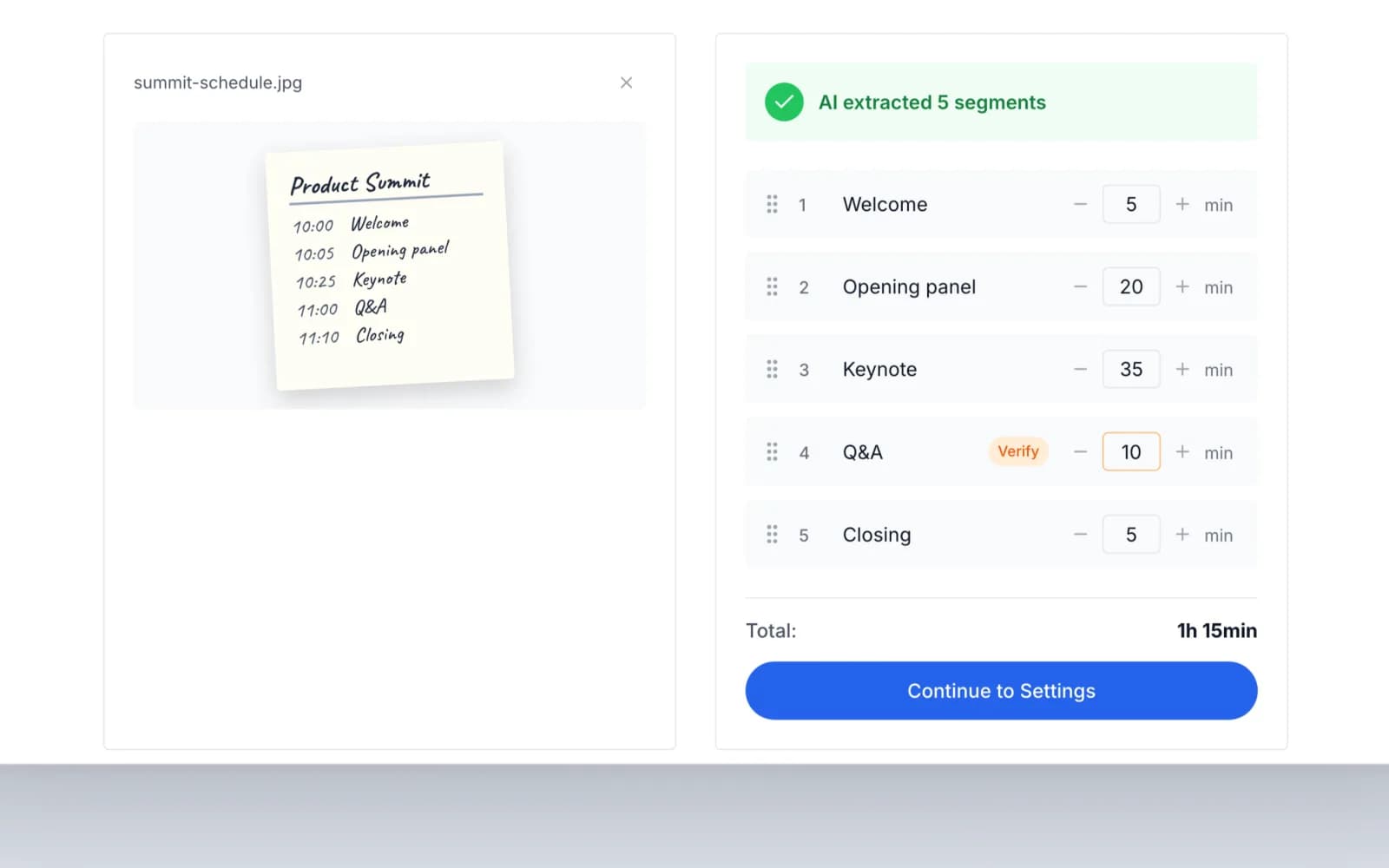
Photograph the schedule
Drop in a photo of a printed or handwritten schedule. Tyck reads it and lists every segment with a name and minutes, ready to reorder and adjust before you save it as a template.
FROM THE CODE
A row the model is less than 80% sure of gets an orange Verify tag. Large photos are scaled to about 2,000px and re-encoded as JPEG in the browser first, to stay under Claude's 5 MB image limit.
Stage screen
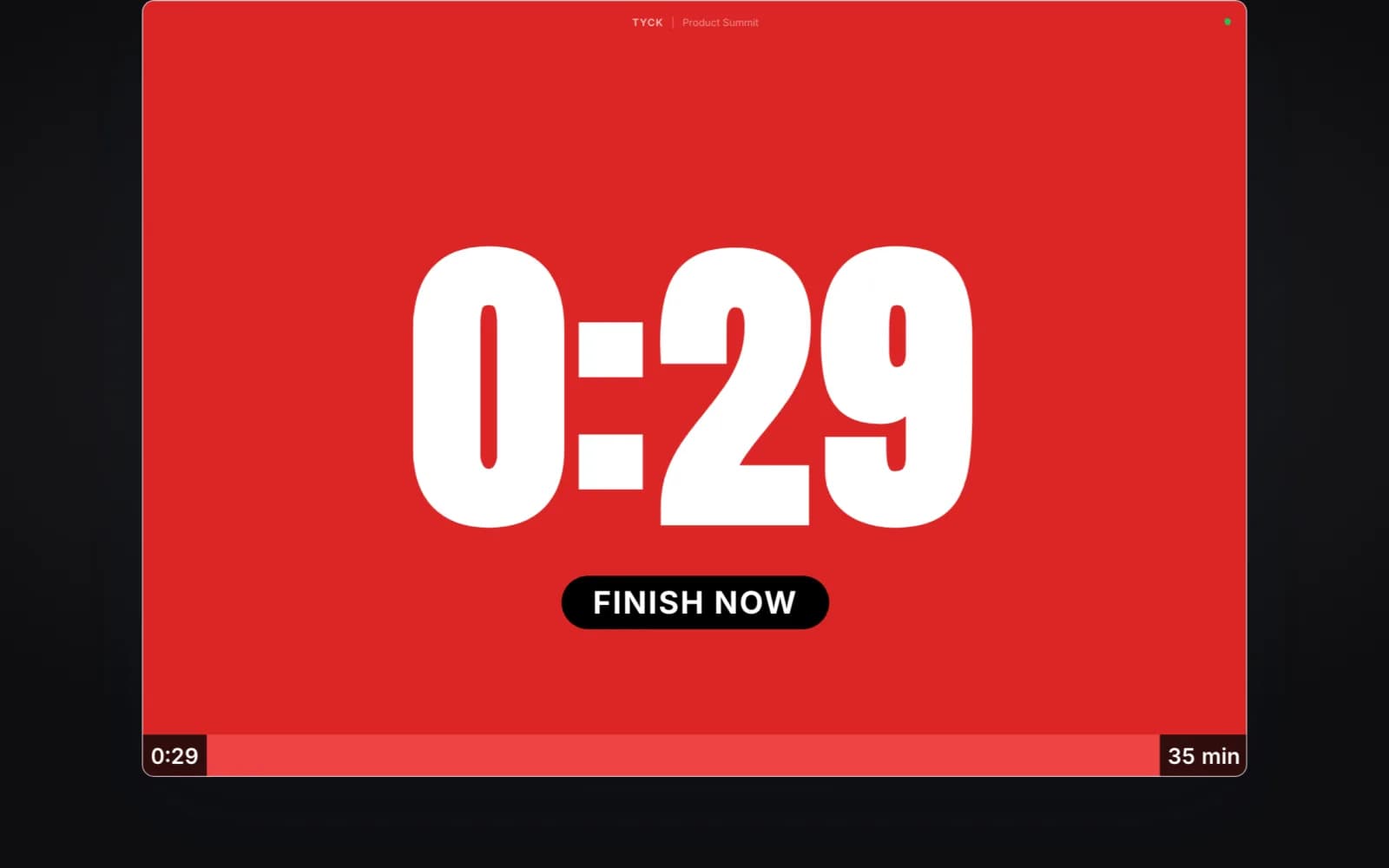
The speaker sees time running out
A full-screen countdown for the stage that changes colour as time runs low: yellow at two minutes, orange at one, and the whole screen red at thirty seconds. Past zero it shows how far over the speaker is.
FROM THE CODE
Anyone with the link can open it without signing in. The server lets an anonymous connection watch, and answers every command it sends with an error.
Overtime
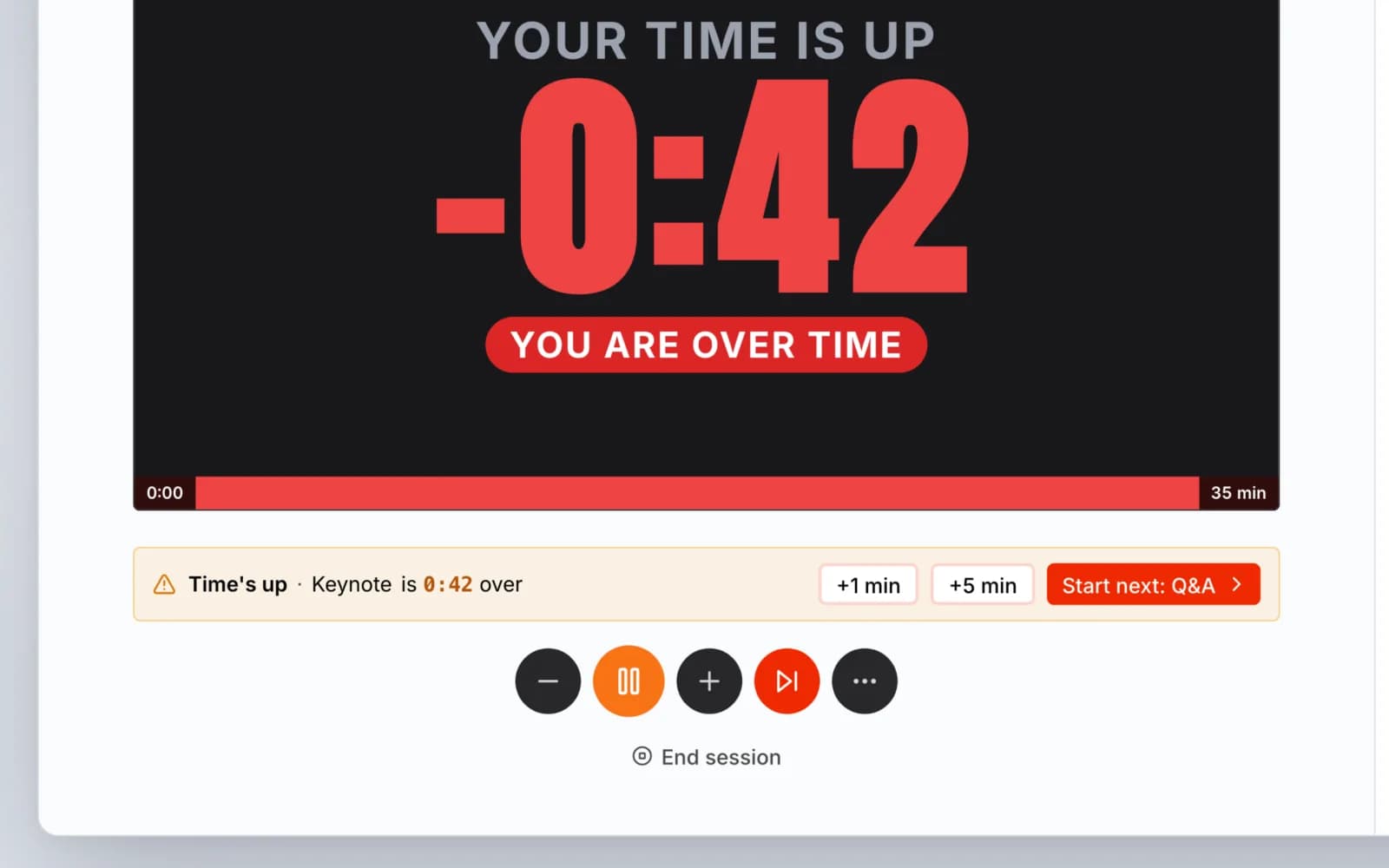
The next move, offered when a segment runs long
When a segment passes zero, an amber strip above the controls says how far over it is, with +1 min, +5 min and Start next. The plus button adds 1, 2, 5 or 10 minutes at any time, even before the start.
FROM THE CODE
The strip replaced a Segment Complete modal that opened on its own and blocked adding time at the busiest moment. Added time is written back to the segment, so a reset keeps it.
Agenda
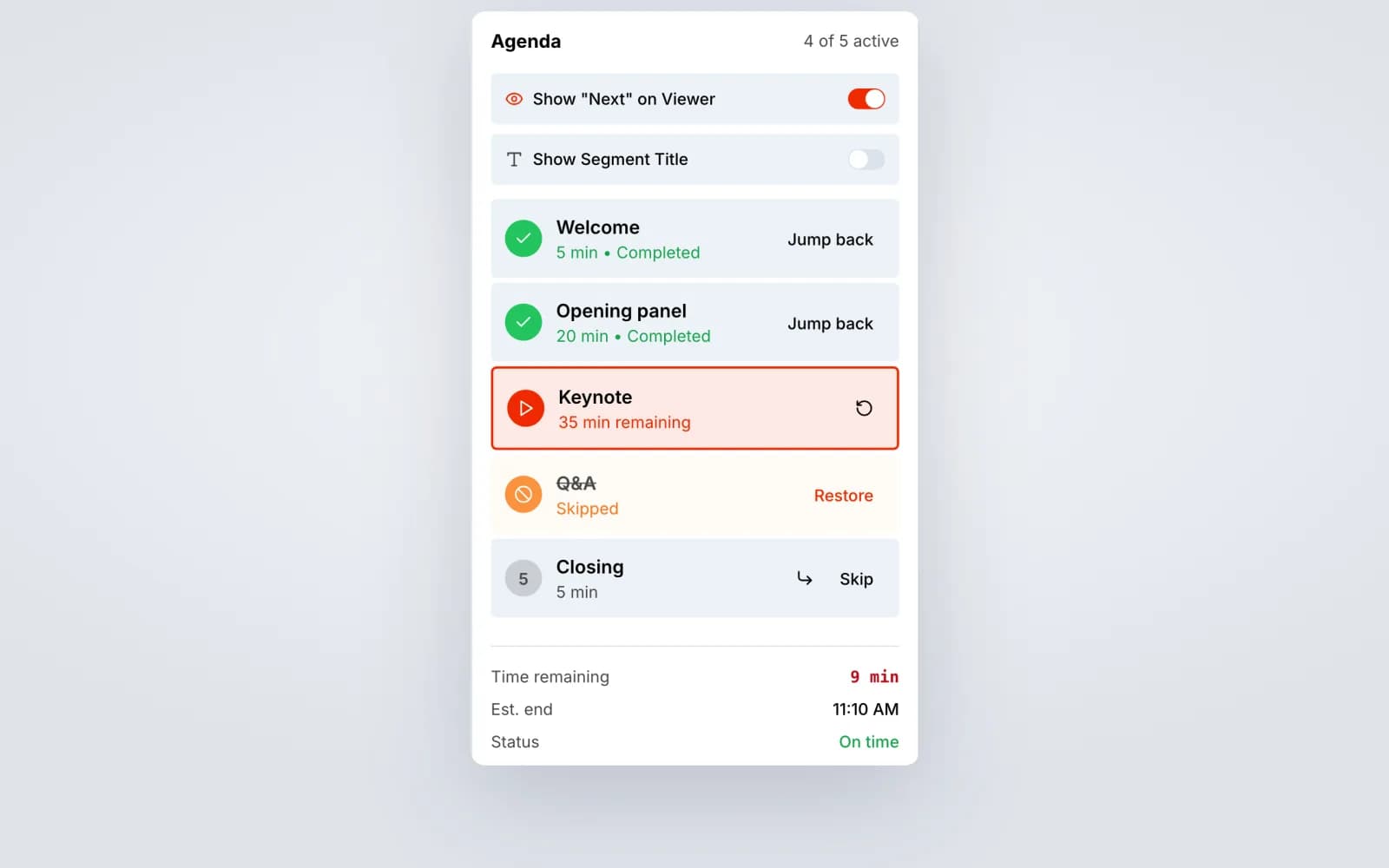
Change the plan while it runs
The run of show sits beside the preview. Jump back to a finished segment, skip one you no longer need and restore it later, and the estimated end time moves with every change.
FROM THE CODE
The estimated end is the time left on the clock plus every upcoming segment that isn't skipped, counted forward from now.
Share
Put the clock on any screen
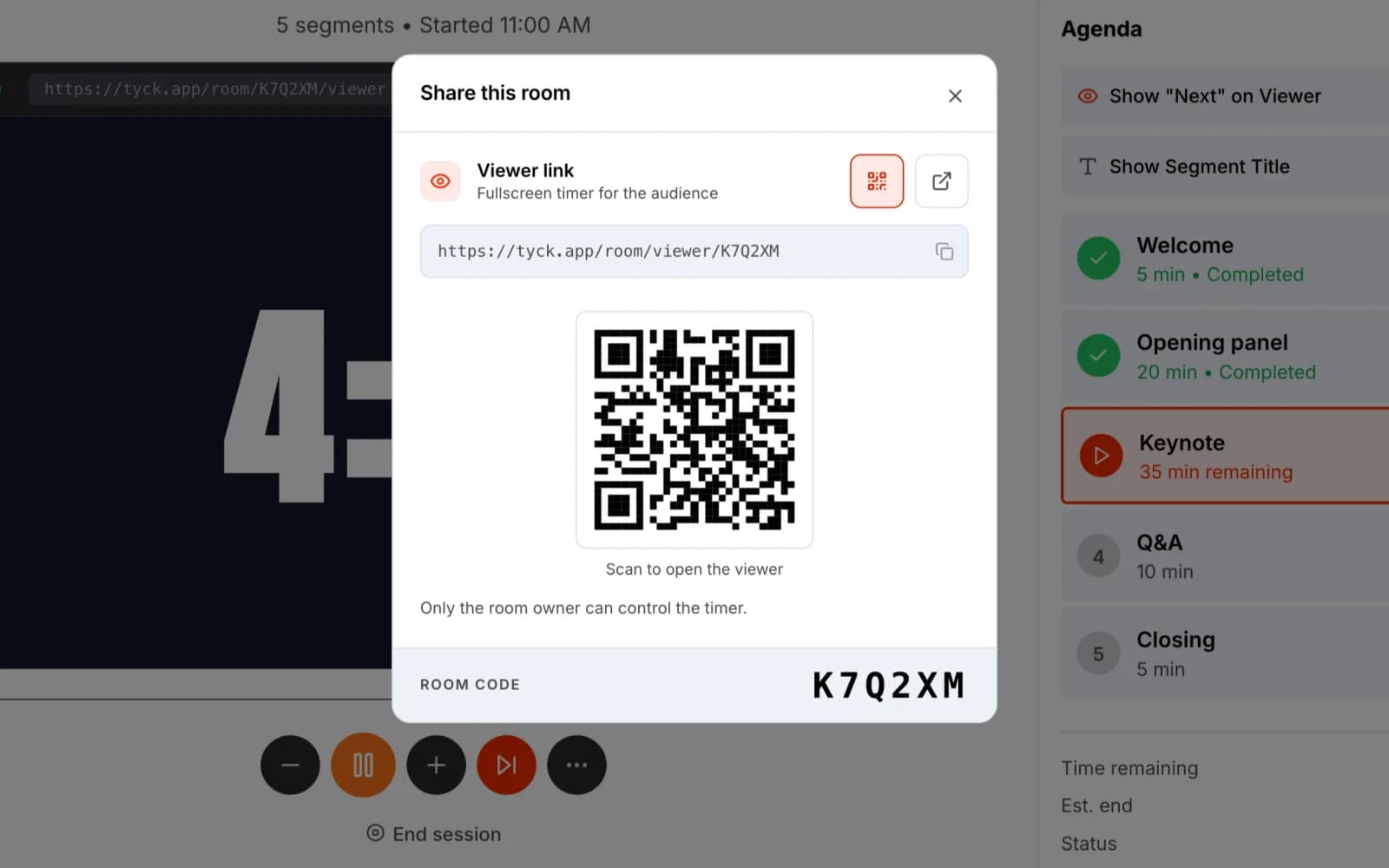
One viewer link, to copy or to scan as a QR code. A volunteer opens it on the confidence monitor or a phone, and it follows the same clock as the controller.
FROM THE CODE
The QR code is drawn on the device with the qrcode package. It used to come from an outside QR service, which saw every room link, and a room link is all it takes to watch.
How I built it
Tyck is a SvelteKit app I built with Claude Code. It started on PartyKit and Supabase and now runs on my own server, with Postgres, Redis and a small WebSocket server of my own. These are the calls that shaped it.
5 DECISIONS SCROLL
One clock, owned by the server
One process owns each room's clock and broadcasts the full state every second. A screen that joins late is right on its first message, and two controllers cannot drift apart.
A restart path instead of a database
Rooms live in memory. After a server restart, a controller that still holds the real state replays it. The server accepts that only into an empty room and turns anything else away without a broadcast, so a restore cannot loop.
Roles travel in a signed ticket
Before a controller connects, the app looks up its role and signs a ticket that lasts two minutes. The socket server checks the HMAC and reads the role from it, so it never queries the database or believes a role the client claims.
Off PartyKit without a client rewrite
The replacement for PartyKit is a plain Node server that speaks the same JSON protocol. The client only needed a new host and a ticket, so the move was a server swap.
Overtime that ends
Rooms keep running with nobody connected, so a forgotten countdown would tick forever. Overtime freezes at 61 minutes, measured in wall-clock time so it survives a restore, and the session ends after 24 hours.
Why I built it
I volunteer as media lead for a local community, and we were paying for a subscription tool just to manage speaker time on stage. The first version was a single HTML page that did only that. Tyck is what it grew into.
Whoever runs the clock at a live event is usually doing three other jobs, and the schedule tends to arrive as a printed sheet or a photo in a group chat. I wanted that photo to become the run-sheet without retyping, and the stage screen to be one link away.
What I learned
- A clock that many screens share needs exactly one owner. Server authority with a full-state broadcast removed a whole class of sync bugs.
- In-memory rooms are fine if you design the restart path. Letting a trusted client re-seed the server was simpler than persisting every tick.
- Keeping the wire protocol stable made the move off PartyKit a server swap instead of a rewrite.
- Live events find the edge cases. A countdown nobody stopped would have run forever, so overtime now freezes and the session ends on its own.
STACK
- SvelteKit 2
- Svelte 5
- TypeScript
- Tailwind 4
- WebSockets
- Postgres
- Redis
- Claude API
- Stripe