Tauker
Hold a key, say it, let go. The words land where you were typing.
Tauker is push-to-talk dictation for the Mac. Apple's speech model turns your voice into text on the machine, the recording is never uploaded, and the finished text appears at the cursor in whatever app you are using.
- Status
- In beta, not public
- Category
- Dictation
- Platform
- macOS 26 or later
- Built with
- Claude Code
- Speech engine
- Apple SpeechAnalyzer
- Written in
- Swift 6 and SwiftUI
The narrated tour, 62 seconds. Captions are available.
- push-to-talk keys to choose from, Fn by default
- 5
- cleanup providers, one of them local
- 4
- ways to insert text, each tested in a fixture app
- 3
- terms offered to the recogniser on each press
- 60
- words and names your dictionary can hold
- 300
What it does
Four features, each shown in the states it really has. Pick a state to see it.
Indicator
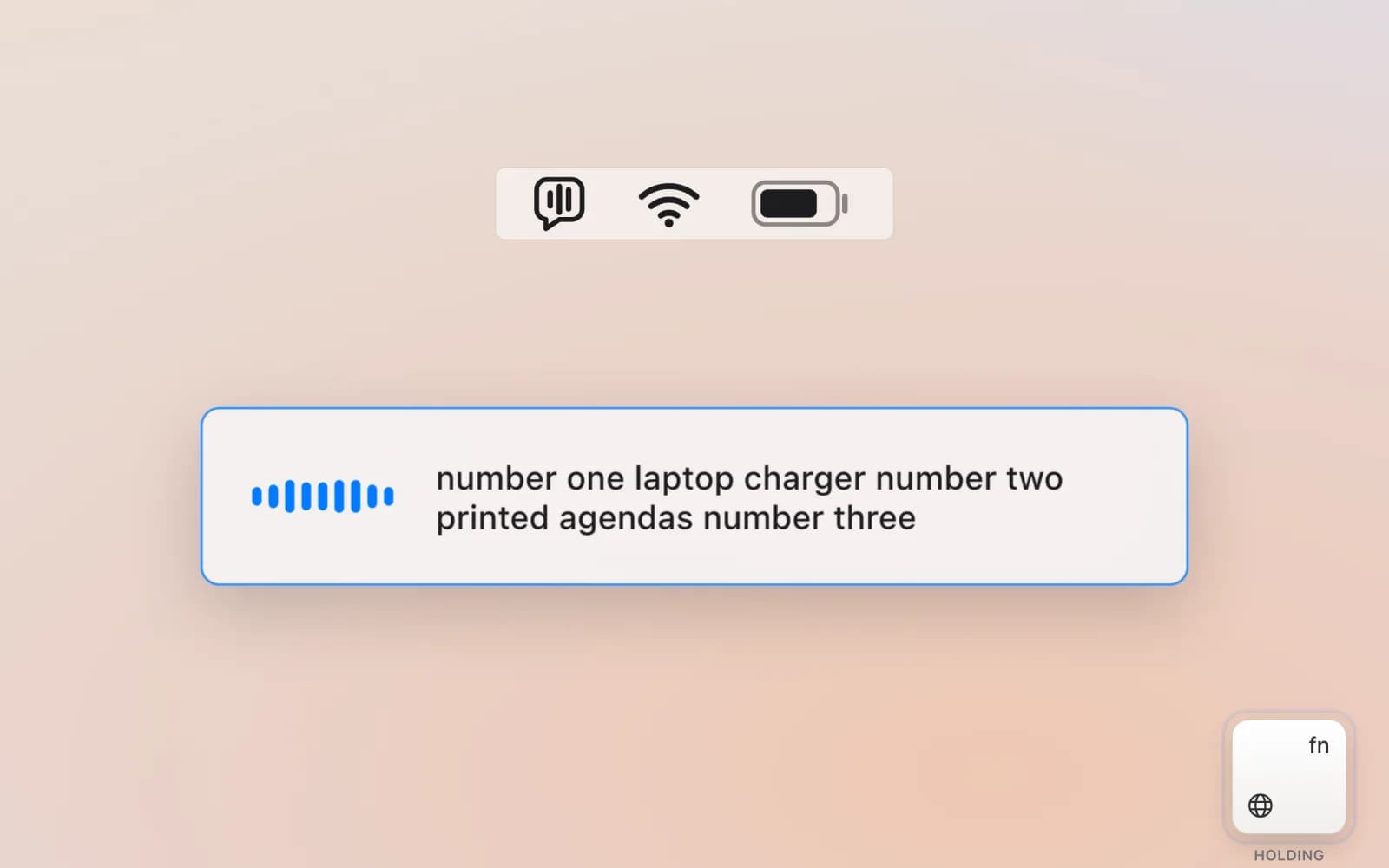
See that it is listening
Hold Fn and a small panel appears with a live waveform and the words as they are heard. Let go and it shows the speech model finishing, then gets out of the way. Escape cancels.
FROM THE CODE
The panel is a non-activating NSPanel that can never become the key window, so the field you are dictating into keeps its focus.
Insertion
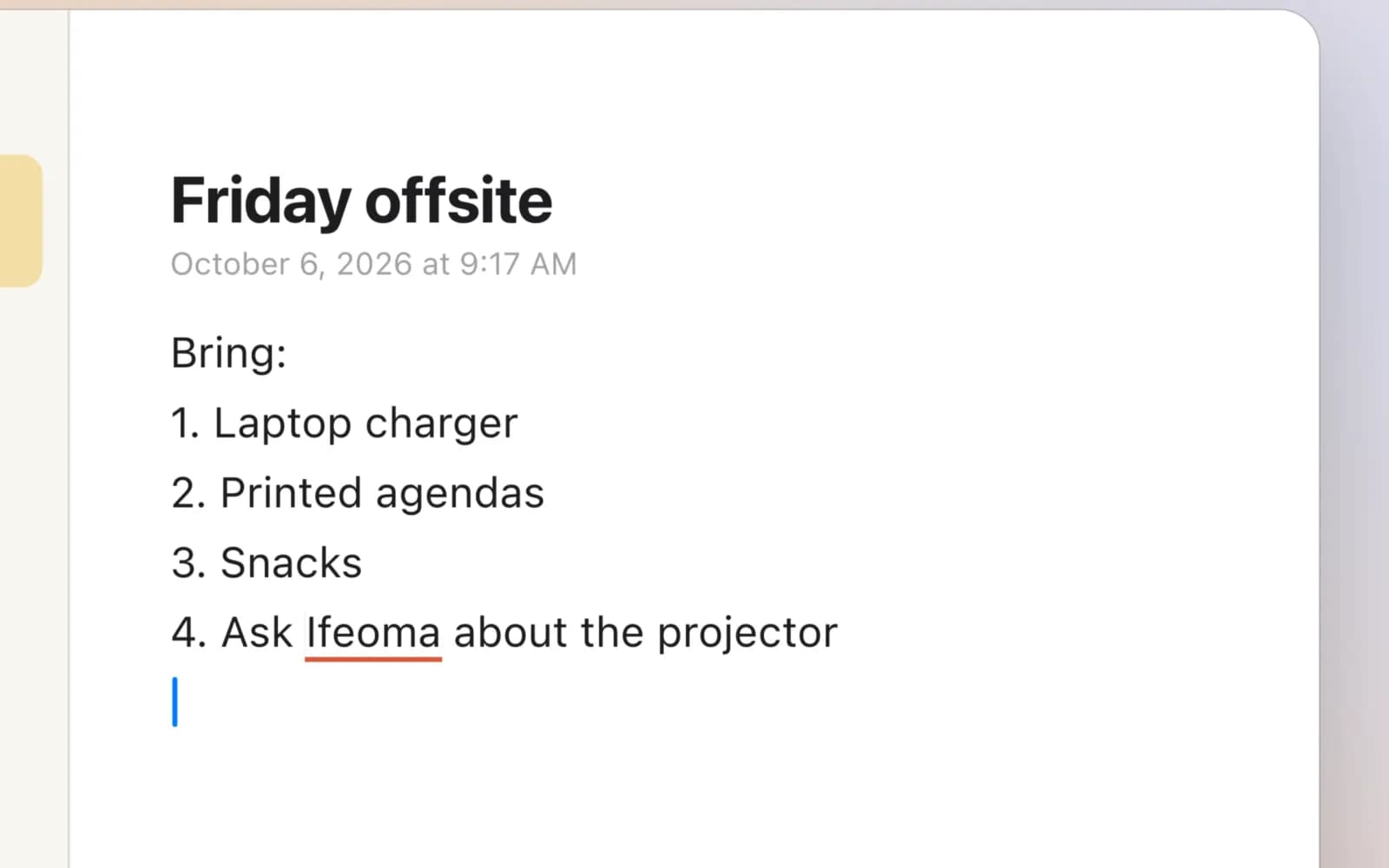
Text lands where you were typing
The finished text is typed at the cursor, in any app. Local cleanup adds capitals and punctuation and turns a spoken list into a list, and your Always write as rules fix the names the recogniser keeps getting wrong.
FROM THE CODE
It writes through the Accessibility API, then reads the field back, because Chrome and Electron apps accept the write and drop it. If the text did not stick, it pastes and puts your clipboard back.
History
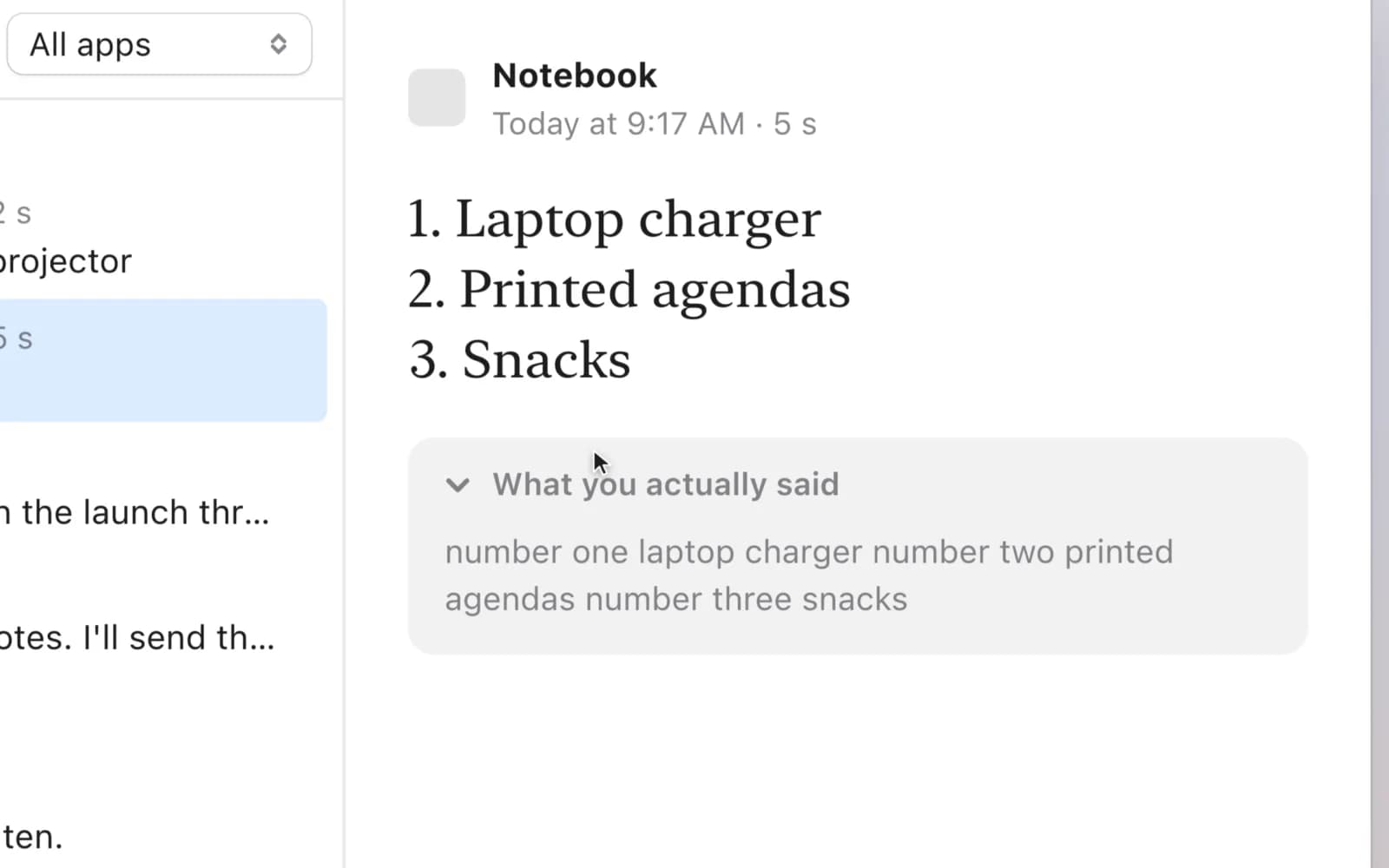
Every dictation, kept on your Mac
Search past dictations or filter them by app, copy one again or delete it. When cleanup changed your wording, What you actually said shows the raw transcript under the text.
FROM THE CODE
History is one file in Application Support and never leaves the Mac. Turn it off in Settings and nothing further is recorded.
Usage
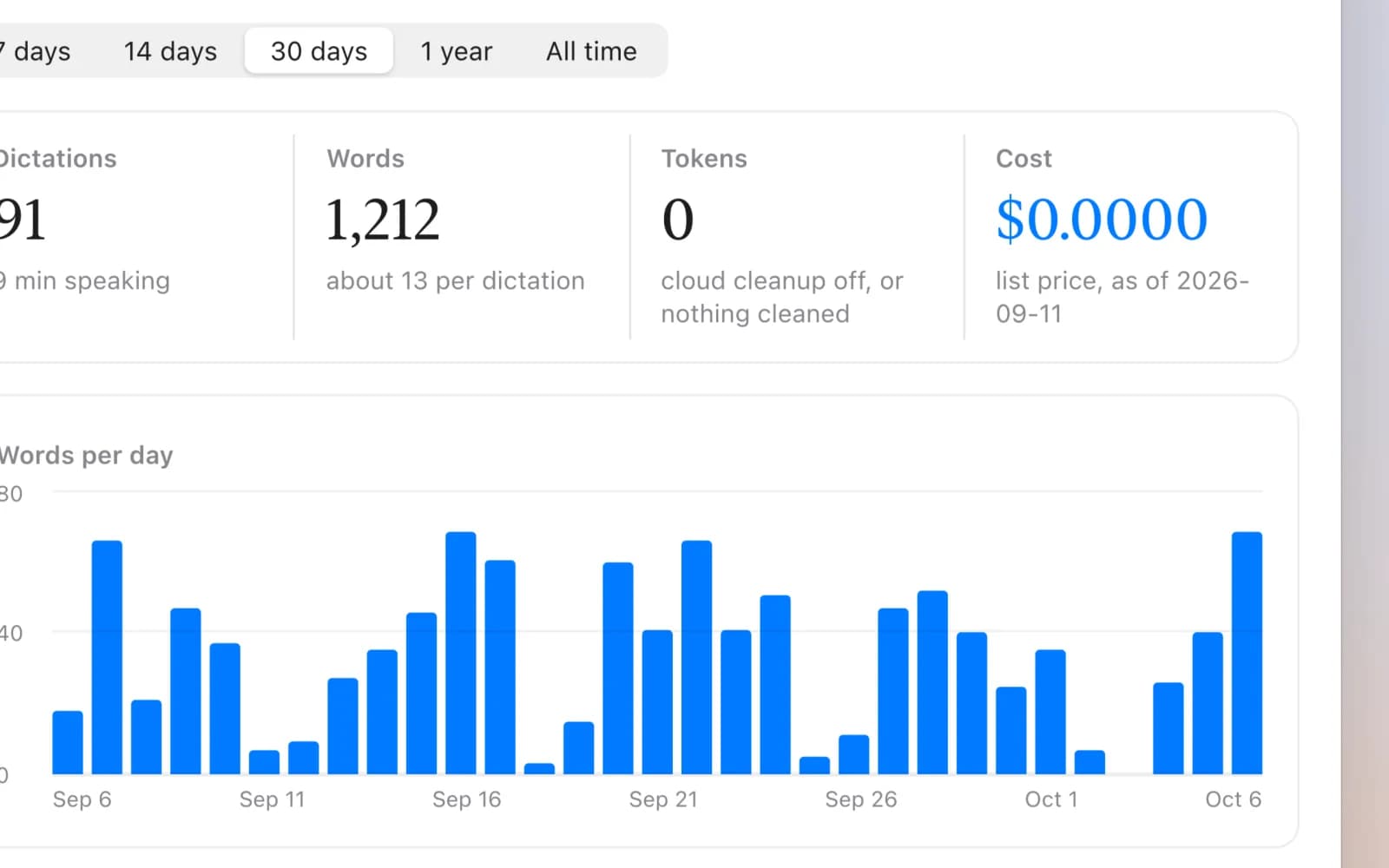
Know what it costs, if anything
Dictations, words, tokens and cost over 7, 14 or 30 days, a year or all time, with words per day and a breakdown by app and by model.
FROM THE CODE
Everything is computed from History on the Mac. Cost comes from a dated list-price table, so the page calls it an estimate, not a bill.
How I built it
Tauker started as a research note on how Wispr Flow works and what it uploads. I built it with Claude Code in 86 commits over a little more than two weeks, at times with several agents working at once under a written file-claim protocol. These are the calls that shaped it.
5 DECISIONS SCROLL
Transcribe while the key is held
Audio streams to the recogniser from the moment you press, so letting go only costs a final flush, not a whole transcription pass. The audio graph stays prepared while idle, which brought a cold start down to 75 ms.
Read back every insertion
Chrome and Electron apps accept an Accessibility write and silently ignore it. So the app reads the field back and pastes when the text did not stick. A fixture app with a native text view, a secure field and a web view checks each strategy.
A line break is a command in a terminal
Pasting a line break into a shell runs whatever came before it. Known terminals, matched by bundle identifier and never by guessing, get spaces instead, and long dictations go in as pieces of up to 400 characters.
Cleanup gets two seconds
Cloud cleanup sits between letting go and the text appearing, so the lite models that finish in about 600 to 750 ms come first. Offline, or past two seconds, the local refiner answers instead, so there is always readable text.
Privacy is a build check
The log records timings, outcomes and character counts, never the words. A CI gate runs a recording through the app and fails the build if any of its text turns up in the log. API keys live in the login keychain.
Why I built it
Dictation tools like Wispr Flow are fast and accurate, and part of how they get there is sending your audio to the cloud with context read from your screen. My research notes on Wispr record five kinds of context collected from the Mac and uploaded with the recording. For notes, client work and half-formed thoughts, I did not want that trade.
macOS 26 shipped SpeechAnalyzer, Apple's on-device transcription API. I wanted to know whether a native app built on it could feel as quick as the cloud tools while the audio stayed on the machine.
What I learned
- Native APIs report success more often than they succeed. Reading back the write is the only way to know the text arrived.
- A privacy claim is only as strong as the check that enforces it. Failing the build on a logged transcript made it a property of the code.
- Latency is a design material. Streaming while the key is held, and picking models that answer in under a second, is what makes dictation feel instant.
- Several AI agents can share one codebase if ownership is written down. The file-claim protocol did the job a team's working agreements normally do.
STACK
- Swift 6
- SwiftUI
- AppKit
- Apple SpeechAnalyzer
- Accessibility API
- XcodeGen
- Ollama (optional)