VoiceGen
Write the script, mark how it should sound, download the voice-over.
VoiceGen turns a written script into expressive speech, in the voice and accent you pick. You direct the delivery with short cues written into the text, or let an AI voice director add them, then export a finished WAV.
- Status
- Live
- Category
- AI audio tool
- Platform
- Web app
- Started as
- Google AI Studio prototype
- Rebuilt with
- Claude Code
- Speech model
- Gemini 2.5 TTS
The narrated tour, 48 seconds. Captions are available.
Same words, two takes
The plain read is the script as typed. The directed take adds three cues and a persona, nothing else.
Plain
Fenrir · Neutral · no cuesGood morning, everyone. Todays workshop starts at ten, and yes, there will be cake.
Directed
Kore · Nigerian · 3 cues[happy] Good morning, everyone! [pause] Today's workshop starts at ten, [whisper] and yes, there will be cake.
- voices, five male and five female
- 10
- personas, accents and styles
- 7
- expression cues in four groups
- 22
- top speed, from 0.5x, baked into the file
- 2x
- characters per script
- 10,000
What it does
Five steps from script to master, each shown in the states it really has. Pick a state to see it.
Cue palette
Direct the delivery inline
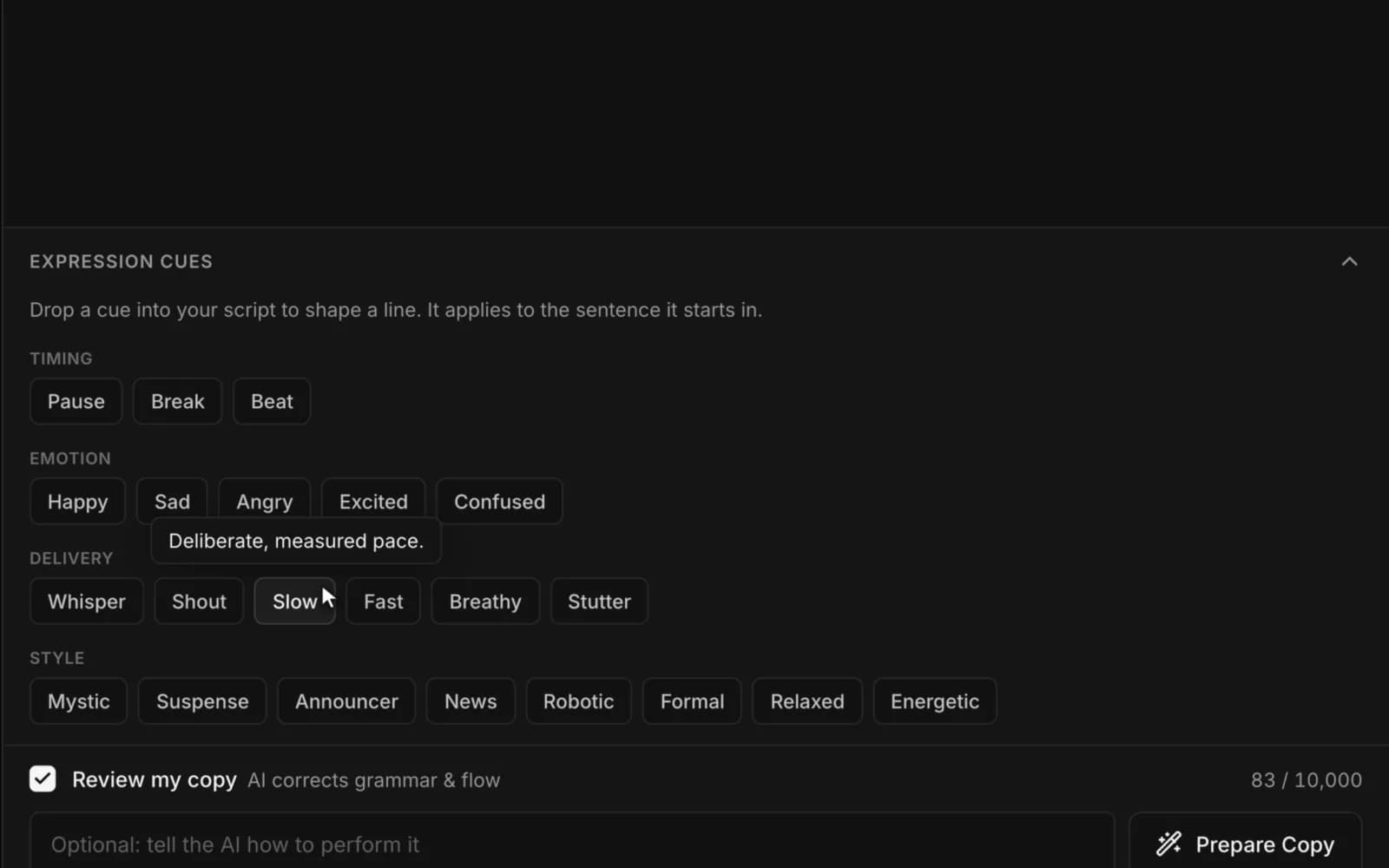
Mark how a line should sound right where it sits. A cue applies to the sentence it opens, so [whisper] whispers that sentence and nothing else.
FROM THE CODE
22 cues in four groups: Timing, Emotion, Delivery and Style. The palette starts collapsed, so it stays out of the way until you want it.
Prepare copy
Let the AI direct it for you
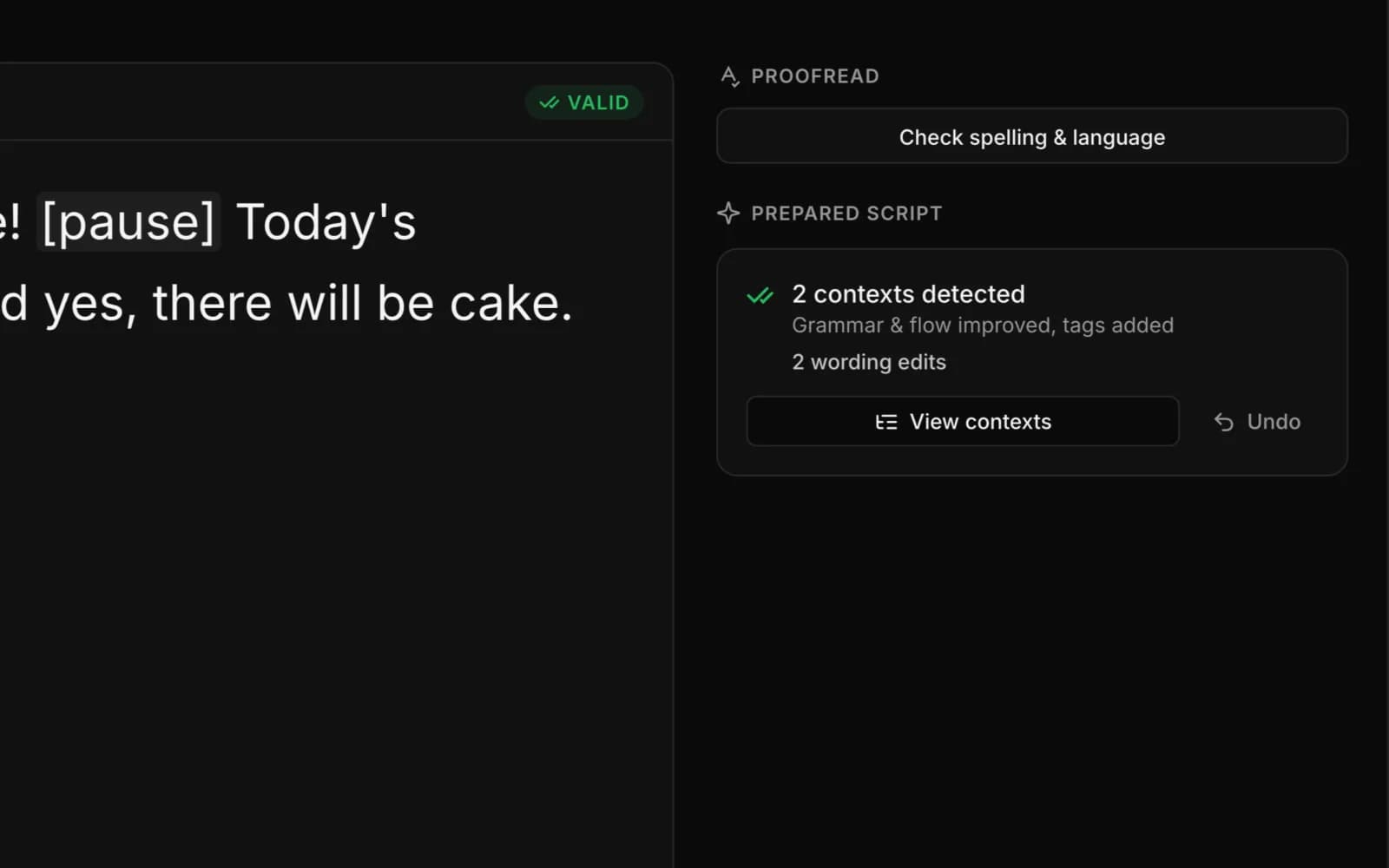
One pass groups the script into contexts, one per topic, and adds cues where the words call for them. Tick Review my copy and it also fixes grammar, spelling and flow.
FROM THE CODE
Every wording edit is logged with the original, the replacement and the reason, and one Undo restores your script.
Persona
Pick an accent or a style
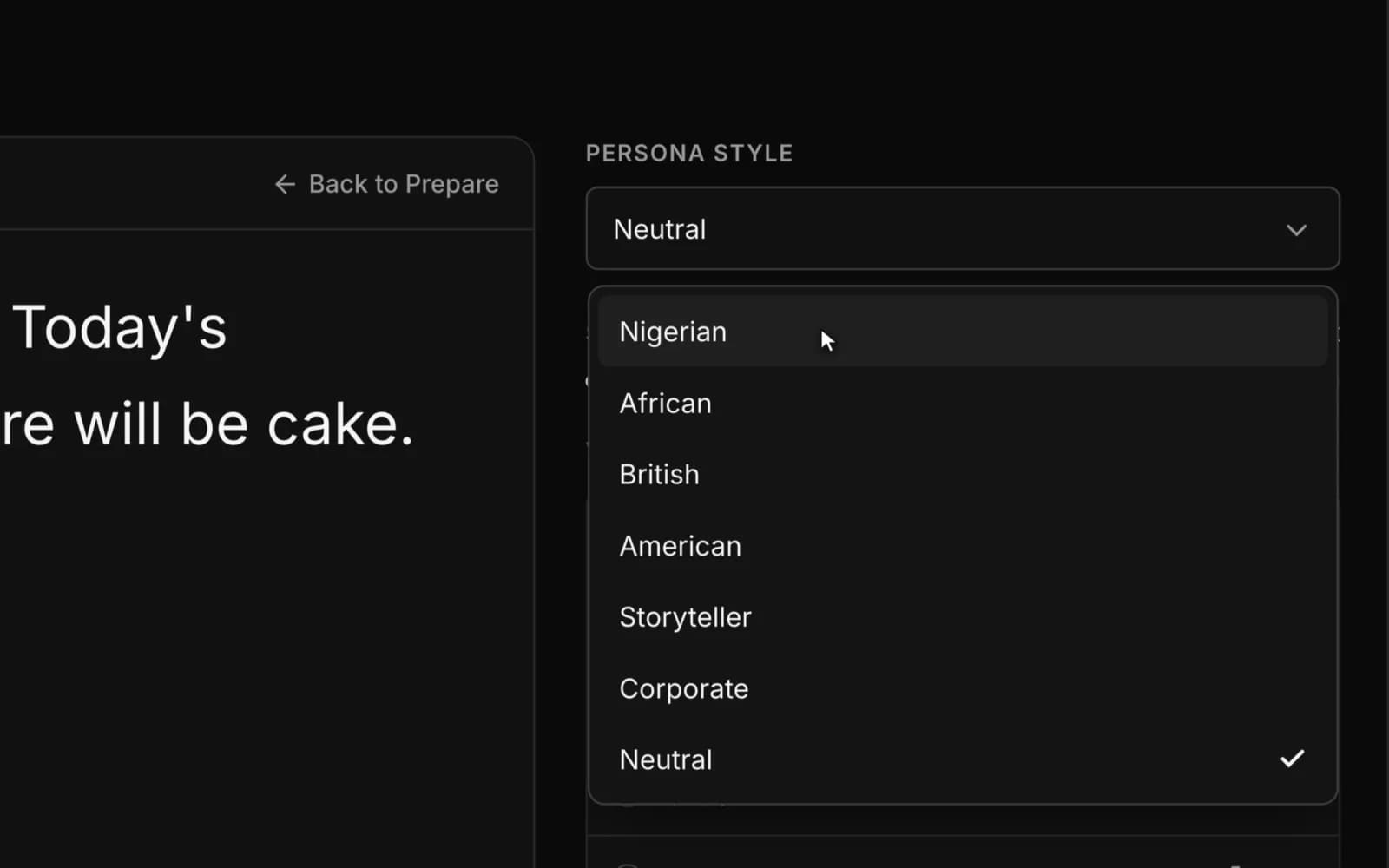
Choose how the voice should come across: Nigerian, African, British or American, Storyteller or Corporate, or Neutral.
FROM THE CODE
The persona instruction is sent with every chunk of a long render, so the accent still holds in the last paragraph.
Voice picker
Hear a voice before you choose it
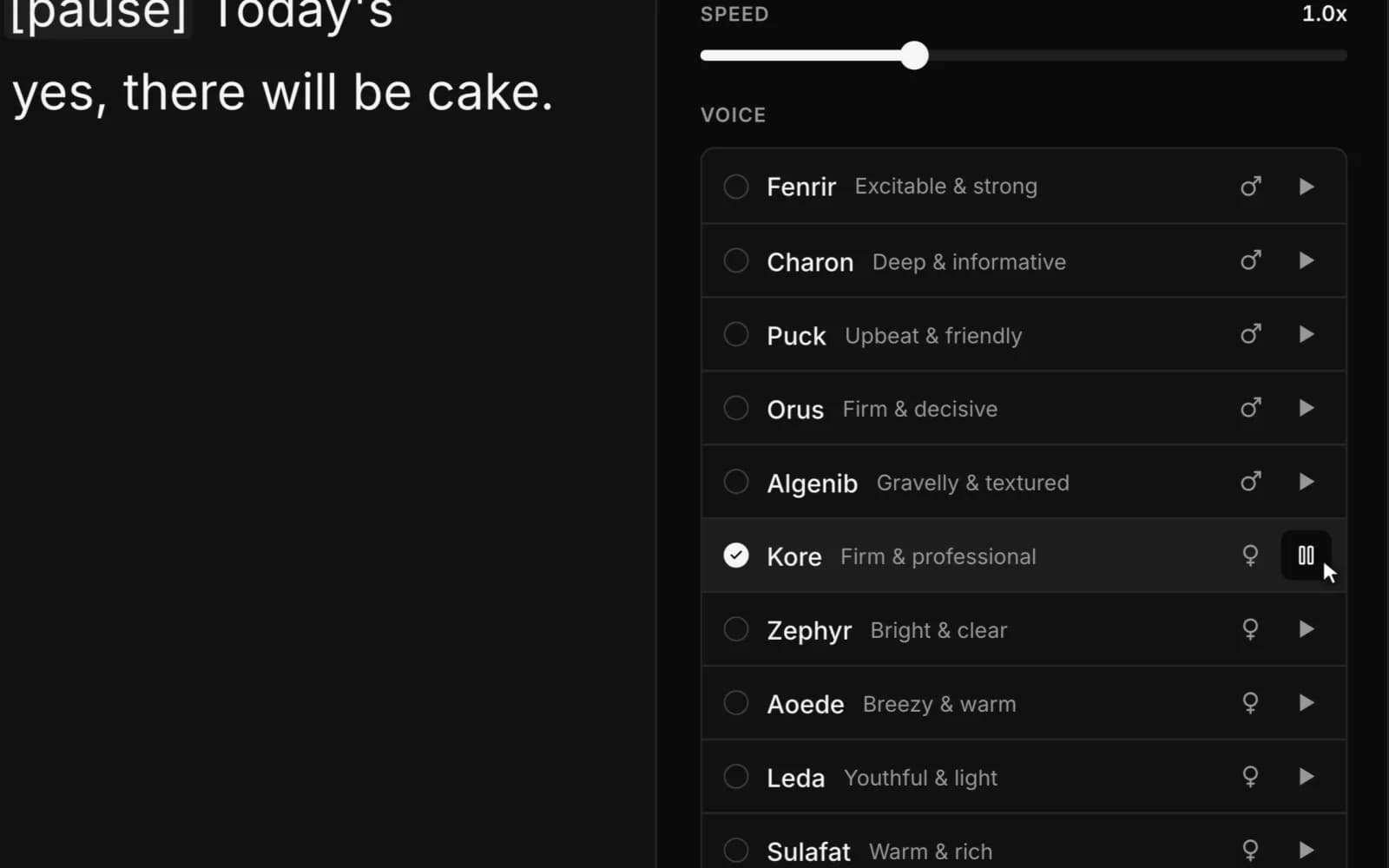
Ten voices, each labelled by tone. Press play on any row to hear it in the persona you picked, without changing your selection.
FROM THE CODE
Every audition speaks the same short line, so you compare voices and nothing else, and each one is cached after the first play.
Player and export
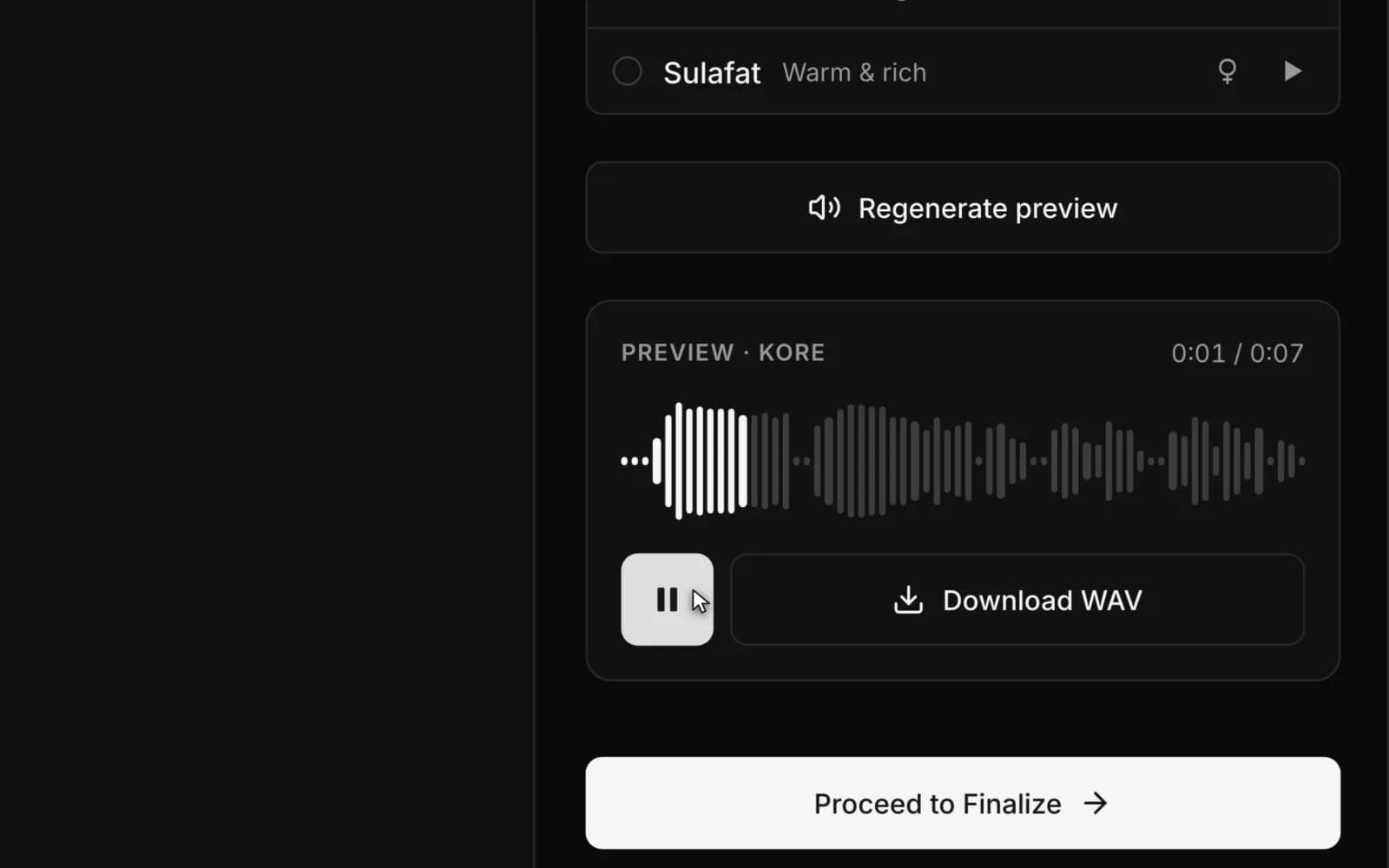
Preview, then export a WAV
Listen to a short preview of your own script, then render the full master and download it. A progress bar tracks the render, and you can cancel it at any point.
FROM THE CODE
Speed runs from 0.5x to 2x and is baked into the export, a 16-bit mono WAV at 24 kHz. Each finished master is saved to your script history.
How I built it
VoiceGen started as a prototype in Google AI Studio. When it outgrew that, I wrote a port plan and rebuilt it as its own codebase with Claude Code, moving features across one at a time. These are the calls that shaped it.
5 DECISIONS SCROLL
Rendering moved into the browser
A Vercel function stops at 60 seconds and a long script takes minutes to voice. Each call renders one span of text, the browser runs them with bounded concurrency, and it stitches the 24 kHz audio into a single WAV.
Span sizes came from measurement
In real calls, 400 characters took about 13 seconds and 600 took 10 to 12, while anything near 1,000 could run past three minutes. So the app starts big and steps down only when a span times out.
One voice across independent calls
Every span is a fresh generation, so the voice drifted between paragraphs. A seed from the text, voice and persona, a temperature of 0.55 and the persona instruction re-sent with every chunk brought it back to one speaker.
The API key stays on the server
The browser only calls VoiceGen's own routes, which hold the Gemini key. The same engine is also open to other services through a private, key-protected API: one call in, one WAV out.
An easy path and a power path
Prepare Copy does the directing for you. The cue palette gives precise control, collapsed by default so the sidebar isn't a wall of buttons.
Why I built it
The community I volunteer for had moved to video announcements, and producing them took up to six hours every weekend between scheduling, recording and editing. A voice-over generated from a script, in the community's own accent, removed that bottleneck and the cost of a voice subscription.
I also wanted direction to live in the script, the way a director pencils notes onto a page, and a long script to sound like one person in one take.
What I learned
- Direction written into the script beats a settings panel. It is readable, editable and travels with the text.
- Measure the model before designing around it. My guesses about span timing were wrong.
- Split work across independent AI calls and consistency becomes an engineering job.
- The product is right and the compute model is next. A job queue is where rendering should go.
STACK
- React 19
- Vite
- TypeScript
- Tailwind
- Vercel Functions
- Gemini 2.5 TTS
- Gemini 2.5 Flash
- Firebase Auth
- Firestore